Kraken Launcher Options
The Kraken launcher window appears each time you start RuneLite, before the game client loads. It lets you change how RuneLite is launched and how Kraken plugins are loaded. Click Start RuneLite to continue. Cancel saves your settings and exits without starting the client.
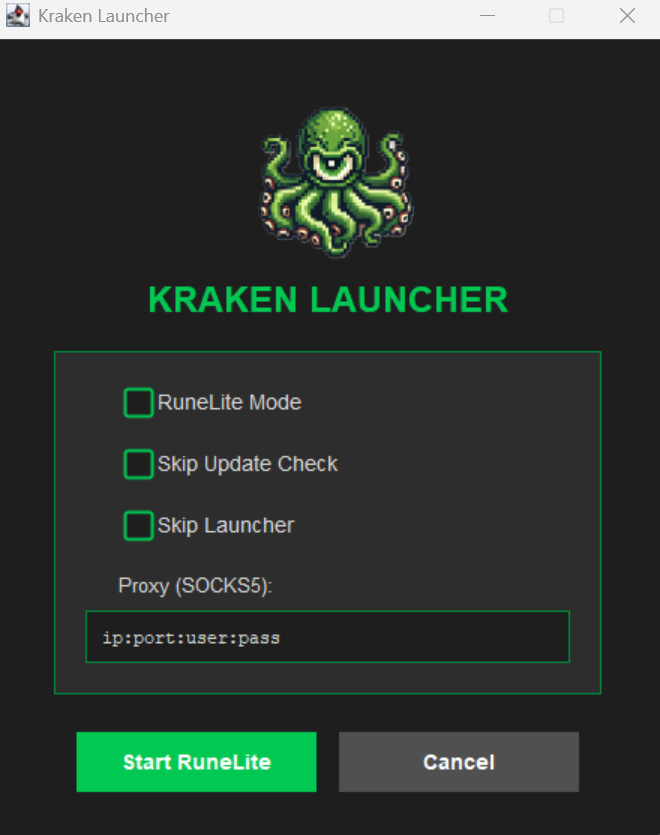
| Option Name | Description | Type | Example |
|---|---|---|---|
| RuneLite Mode | Disables all Kraken dependency and external plugin loading and loads RuneLite 100% normally. Your proxy and character selection still apply. | True/False | N/A |
| Skip Update Check | Kraken developers check each RuneLite update for code which could expose or compromise the client. This takes time and so often times the client isn't immediately available after an update. By checking this box you skip this safety check by developers and load Kraken plugins anyway. | True/False | N/A |
| Skip Launcher | Skips this window on future starts and launches RuneLite with the saved settings. To get the window back, run RuneLite.exe --force-ui, or set skipLauncher to false in ~/.runelite/kraken/krakenprefs.json. | True/False | N/A |
| Share Error Logs | Off by default. When on, and only when the client logs an error, the last 256 KB of client.log and launcher.log are sent to Kraken together with your client, API, RuneLite, Java and OS versions, at most once every 10 minutes. Uploads are tied to the Discord account you are signed in with so support can find them. | True/False | N/A |
| Character | Which Jagex account to log in as. Lists accounts added through the Profiles plugin. Leave as "Jagex Launcher (default)" to use whichever account the Jagex launcher passed in. See Character Selection. | Select | N/A |
| Proxy | A SOCKS5 proxy which will proxy all network communication between the RuneLite client and Jagex servers. This should be in the format host:port or host:port:user:pass. See proxies for the exact rules. | String | 192.123.456.81:5555 |
Saved Settings
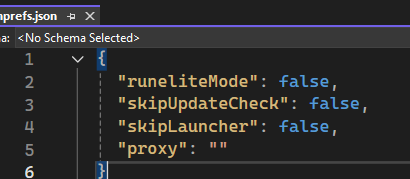
The launcher stores its settings in C:\Users\%username%\.runelite\kraken\krakenprefs.json on Windows and ~/.runelite/kraken/krakenprefs.json on macOS. You can edit this file directly while RuneLite is closed:
{
  "runeliteMode": false,
  "skipUpdateCheck": false,
  "skipLauncher": false,
  "shareLogs": false,
  "krakenProfile": "",
  "proxy": ""
}
Command-line Flags
The Kraken launcher understands the following flags when passed to RuneLite.exe:
| Flag | Description |
|---|---|
--configure | Skips the Kraken window and opens RuneLite's own launcher configuration dialog (memory, hardware acceleration, client arguments) instead of starting the game. |
--force-ui | Shows the Kraken window even when Skip Launcher is on. |
--kraken-profile <name> | Logs in as the named Profiles plugin character for this launch only, overriding the Character dropdown. The name is matched case-insensitively. |
--qa | Loads Kraken's QA bootstrap instead of the release one. For Kraken developers only. |
⚠️ Any other argument passed to
RuneLite.exeis discarded by the Kraken launcher before RuneLite starts. RuneLite flags such as--developer-mode,--safe-modeor--insecure-write-credentialsmust be entered in the Client Arguments field of the RuneLite launcher configuration described below.
Character Selection
The Character dropdown lists the Jagex accounts you have added with the Profiles plugin, which stores them in ~/.runelite/kraken/plugins/Profile/profiles.txt. Only Jagex accounts are listed; legacy username and password profiles are ignored. When a character is selected, the launcher logs that account in instead of the one the Jagex launcher passed. If the selected name no longer exists, the launcher logs a warning to launcher.log and starts with the default account.
RuneLite Launcher Configuration Options
This section covers the various RuneLite Launcher configuration options which are present and what each option does. You are free to modify or change any of these options at any time.
⚠️ Note that these options only apply to RuneLite. For Kraken launcher specific options see the documentation above.
To open and configure the launcher options, search for "RuneLite (configure)" in your Windows start menu.
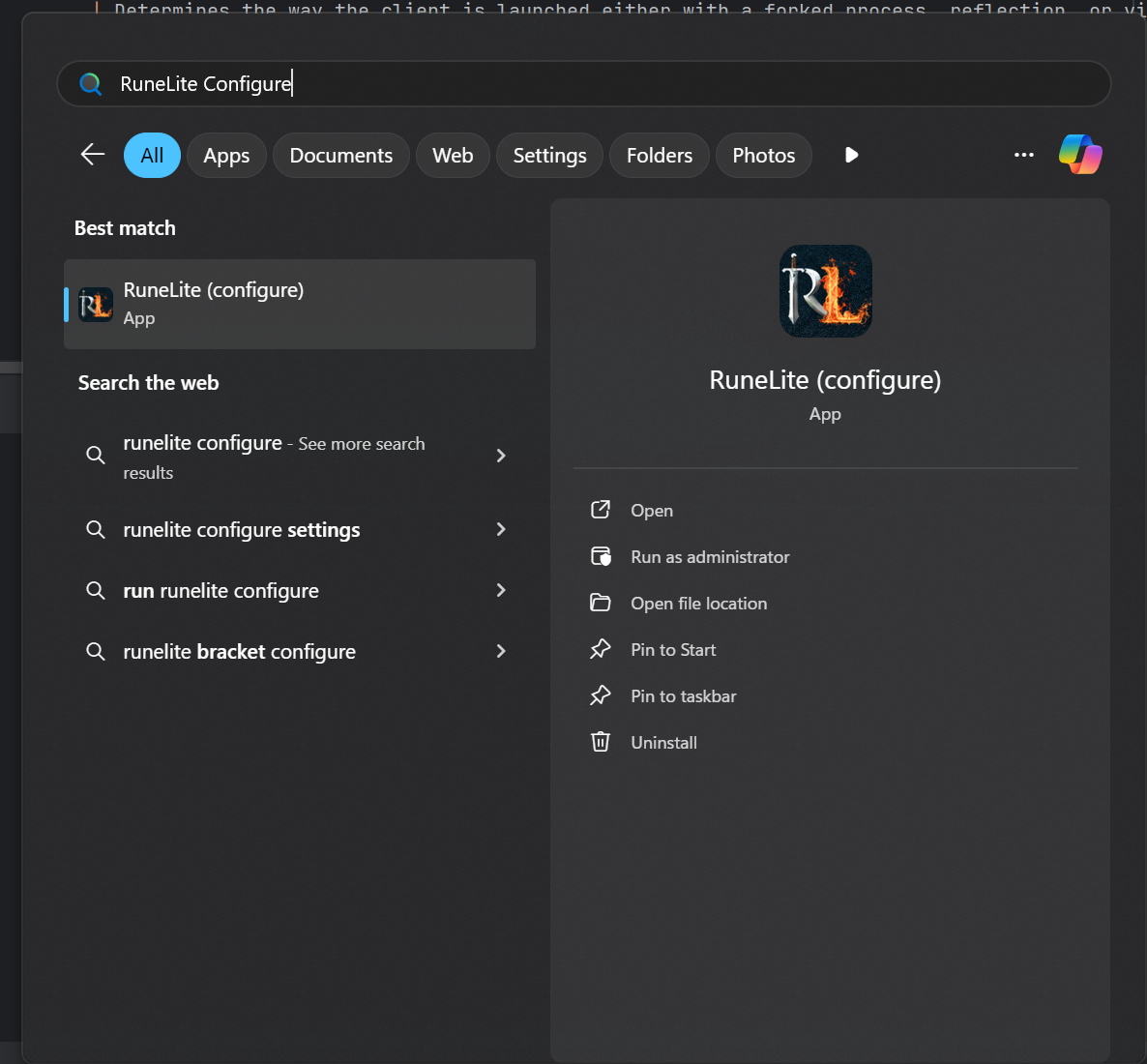
Once you select the option from your start menu, you will see the following dialogue box allowing you to edit the launcher configuration options:
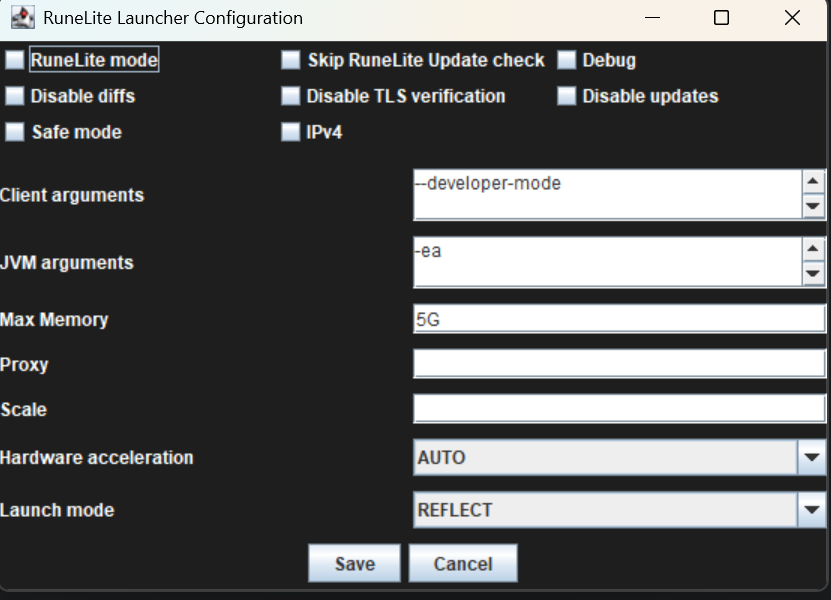
Note: the Kraken installer marks RuneLite's
settings.jsonread-only. If this dialog cannot save your changes, clear the read-only attribute on%localappdata%\RuneLite\settings.json(right-click → Properties → untick Read-only) and try again.
| Option Name | Description | Type | Example |
|---|---|---|---|
| Debug | Prints debug log messages in the console and saves them to the RuneLite logs folder. | True/False | N/A |
| Disable Diffs | Download full JAR files for plugin and dependency updates instead of just the diffs. | True/False | N/A |
| Disable TLS Verification | RuneLite and Kraken make several HTTP calls to retrieve files over TLS/SSL ensuring the traffic is encrypted end to end. This option will disable the verification of these endpoints. Usually this comes in handy with strict proxies. | True/False | N/A |
| Disable Updates | Prevents RuneLite from updating. You will not be able to play without running the latest version of RuneLite | True/False | N/A |
| Safe Mode | Runs RuneLite in safe mode loading only plugins that come pre-installed from the client. External plugins from the Plugin Hub will not be loaded. Kraken plugins will still be loaded. | True/False | N/A |
| IPv4 | Prefers IPV4 of IPV6 | True/False | N/A |
| Client Arguments | Custom Client arguments that are passed directly to the RuneLite client. You can find RuneLite client arguments to pass here. This is the only way to pass RuneLite flags on a Kraken install. | String | --developer-mode --disable-telemetry --profile myplayer |
| JVM Arguments | Args passed directly to the Java virtual machine. These are generally used to control how much memory RuneLite has to work with. | String | -Xms256m -Xmx2048m |
| Max Memory | The max memory in GB that RuneLite will use | String | 5G |
| Scale | A scaling factor for Java 2D | Double | 1.0 |
| Hardware Acceleration | Hardware Acceleration library to use for Java2D | Select | Auto, Off, DirectDraw, OpenGL, Metal |
| Launch Mode | Determines the way the client is launched either with a forked process, reflection, or via the JVM. This is overriden by Kraken to always use reflection so this option will not do anything. | Select | JVM, FORK, REFLECT |