Plugin Licensing
kraken-plugins.com is temporarily offline
Use the Discord bot to sign up, buy tokens, buy plugins, and view your license keys. Download the client directly: Windows · macOS
When you purchase a plugin on Kraken plugins with tokens, you will be granted a license to use the plugin for a specified amount of time. Licensing is a security measure to ensure that you are the only person using the plugins you purchased.
This measure protects both you and Kraken plugins.
Viewing License Keys
Your license key is shown in the Discord bot's reply when you buy a plugin, and you can list all of your keys at any time with the /keys command. Keys are shown only to you.
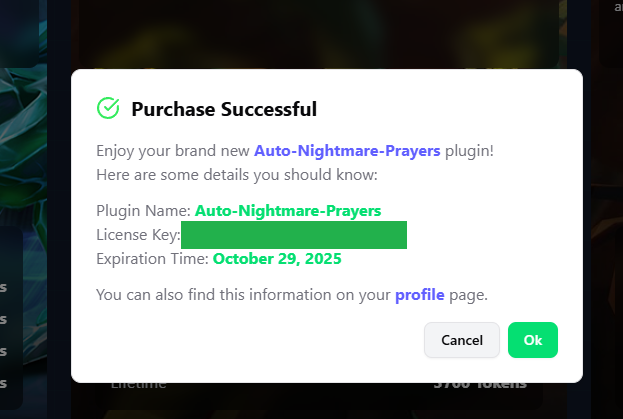
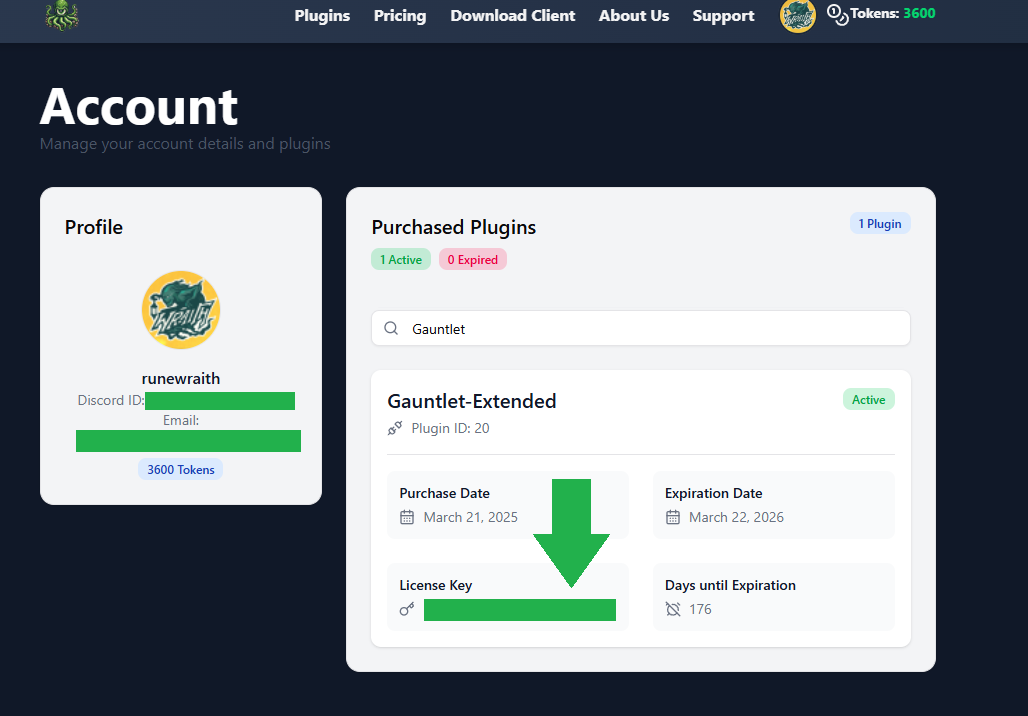
When the website is back online, keys are also shown right after a purchase in the "License Key" field and on your profile page:
Using License Keys
Every Kraken plugin will have a "License Key" field in its configuration. Copy and paste the license key from your respective plugin into the license key field in the plugin configuration as shown below.
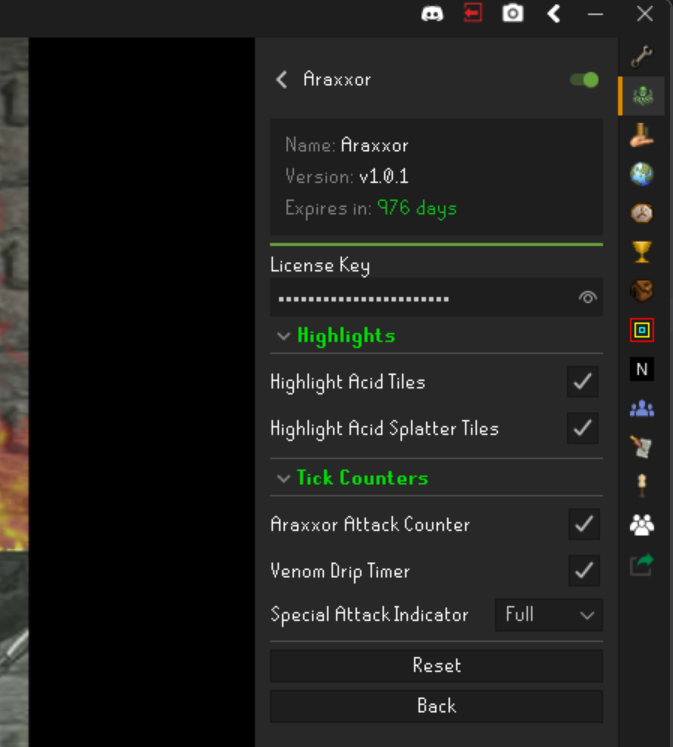
The key is checked with Kraken's servers as soon as you change it, and again every time the client starts. A plugin whose key is missing, wrong, or expired is not started, and its configuration panel shows Invalid License Key or Expired where the expiry date would normally be.
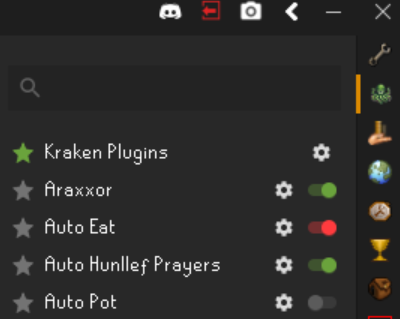
Plugins will show up 💚 green in the plugin list sidebar when the license keys are correct and the plugin is active, 🔴 red when the license key is incorrect and ⚪ grey when they are turned off and disabled.
Sideloaded and external plugins are not sold by Kraken and never need a license key.