Signing Up
kraken-plugins.com is temporarily offline
Use the Discord bot to sign up, buy tokens, buy plugins, and view your license keys. Download the client directly: Windows · macOS
Kraken plugins user signups are all handled through Discord. If you do not have a discord account, you can create one for free at Discord.com.
Once you have a Discord account, you can click the "Login" with Discord button on the Kraken Plugins website to create your free Kraken account. Creating a Kraken account will give you access to the following additional pages on the website:
- Download Client
- Support
- Profile
- Token Purchasing
When logging in with Discord for the first time, it will automatically create your Kraken account for you. Signing in from the client (below) creates your account in exactly the same way, so you do not need the website to get started. Discord is the only way to sign in and out of the Kraken client and website.

Client Signup
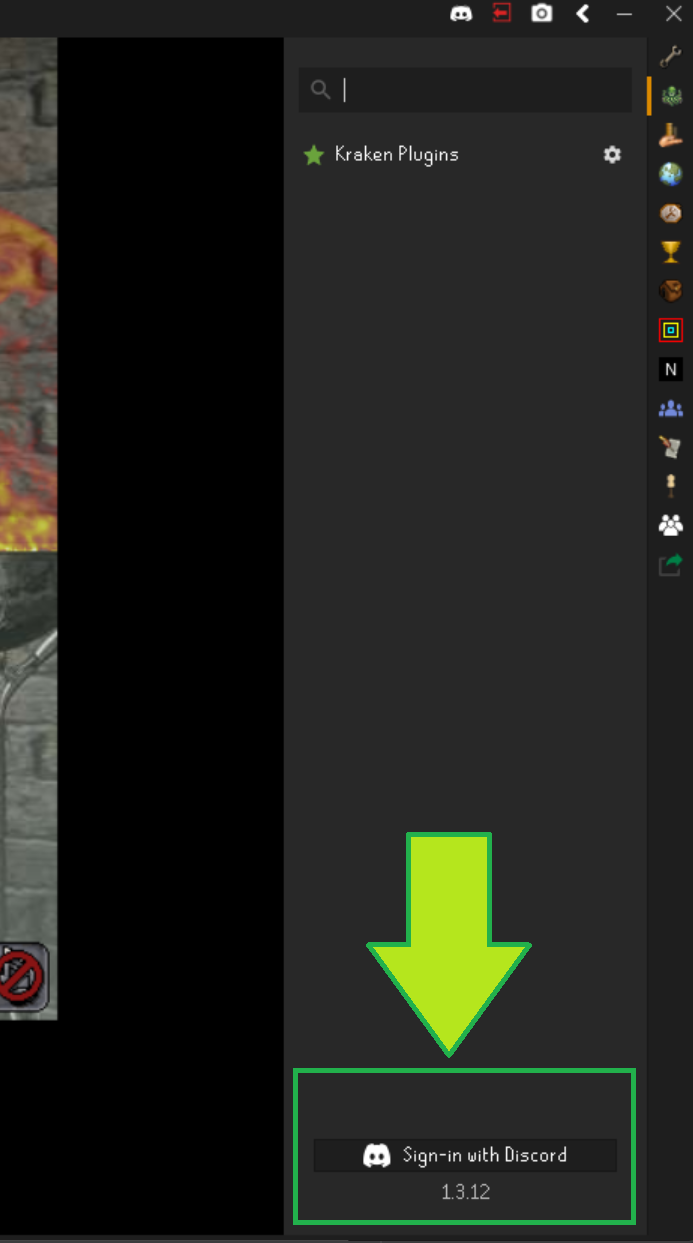
When you first launch the client, you will see a "Sign in with Discord" button in the Kraken sidebar. Clicking this button will open up a new page in your web browser and grant Kraken access to view a few properties on your Discord account and sign you into the client. Signing in to the client is generally a onefold process unless you use multiple discord accounts with Krakens, although this is NOT recommended.
After you approve the request, Discord sends your browser back to a small page served by the client at http://localhost:8080/discord/oauth, which completes the sign in. Two things follow from that:
- Port 8080 must be free on your machine while you sign in. If another program (a local web server, for example) is using it, the browser will show an error instead of returning to the client.
- The sign in request expires after two minutes. If you leave the browser tab open longer than that, click the button again.
Account Linking
Your discord account is the common element between the website and the client, so please use the same Discord account when signing in to both the website and the client! When purchasing plugins on the website, your plugins will be associated with the discord account you are currently logged in with. If you sign in to a different discord account on the client, your plugins will NEVER show up for you.
⚠️ It is VERY important that you sign in to the same discord account on both the website and the client.