Game Updates
The following documentation details how to update the Kraken API in response to game updates and new client revisions. Game updates can be broken down into two main categories (with relation to this API):
- RuneLite updates (~weekly)
- Client Revision updates (~bi-monthly)
- Packet Updates
- Reflection Updates
RuneLite Updates
RuneLite updates are often simple as the RuneLite API doesn't generally drastically change from release to release. To test the API against the latest RuneLite version:
- Update
def runeLiteVersion = 'x.y.z'inbuild.gradleto the latest RuneLite version - Compile the API against the newest version with
./gradlew clean build - Some RuneLite specific changes in the hooks.json file may need to be updated like: logging fields, call stack methods, etc...
- Verify that there are no compile time errors.
If there are compile time errors, then the RuneLite API changed, and you will have to dig a little deeper into what changed, where it went, and how to restore functionality in the API. Luckily, this doesn't happen all that often despite weekly RuneLite updates.
Detailed instructions for manually mapping each field can be found here although, for RuneLite updates, the fields that normally change are all under securityHooks:
securityHooks.clientLogFieldNamesecurityHooks.callStackMethodName(unused in the API at this point so doesn't technically need updated)securityHooks.cleanCallStackValue, when RuneLite changes how it starts the client
⚠️ Note: Care should still be taken in updating the RuneLite version as new detection methods for third party clients and plugins can be added at any point in time (even for minor patch versions).
The Kraken client plugin is obfuscated against a signature cache of the RuneLite client jar (mappings/client-<version>.jar.json in its repository), which also needs regenerating for the new RuneLite version.
Client Revision Updates
Client revision updates are generally more work. The gamepack JAR file will be re-obfuscated, and new mappings will need to be generated to call/update the right classes, fields, and methods in the client that RuneLite does not directly expose.
Luckily, client revision updates are less common and generally occur bi-monthly or quarterly. The Kraken API uses a hooks.json file as its source of truth for packet mappings, reflection hooks, and client patches. This is the only file that needs updated after a revision update and is located in ./src/main/resources/hooks.json. The Kraken Updater CLI tool is specifically developed to analyze the newest game client (injected-client.jar) and automatically remap the necessary fields and packets in the exact format which this API expects.
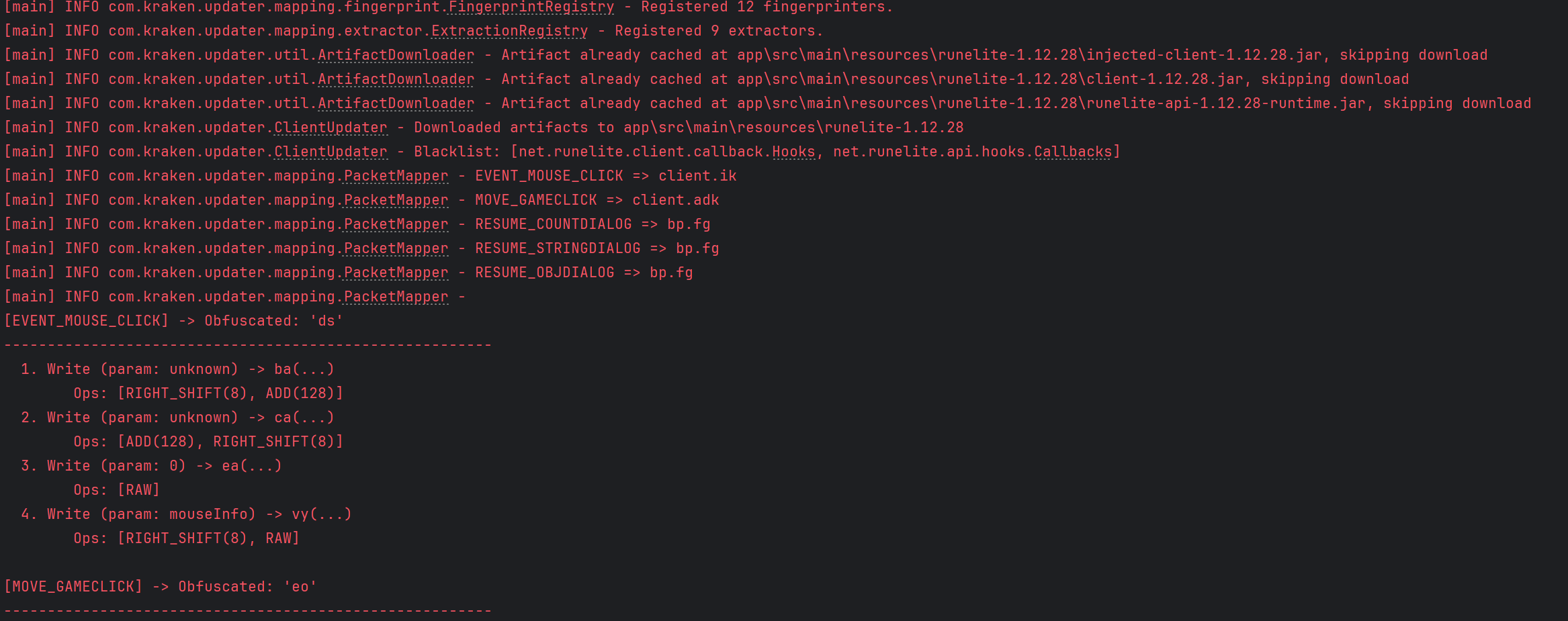
More documentation can be found in the readme of the updater, but in short point the tool at the new version of RuneLite, and it will download the client jars and generate mappings-<version>.json:
./gradlew :app:run --args="--version 1.12.38 --output build/output"Useful flags:
--version/-v(required): the RuneLite client version to analyze--output/-o: directory for the generatedmappings-<version>.json(defaultapp/src/main/resources)--input-dir/-i: where the downloaded client jars are cached--diff/-d: fetch the currently deployedhooks.jsonand log every field that changed, filling in any packet write the run could not resolve from the deployed copy
Missing Maps
The injected-client changes from revision to revision, so it is quite possible that the automated mapper may miss, omit, or get some mappings wrong. It is CRITICAL that each mapping is double-checked for accuracy. We recommend using a tool like JStudio to open and decompile the injected-client.jar file to manually check the mappings.
There is existing documentation here on how to manually find and map each field in the hooks.json file. If you are unfamiliar with mapping obfuscated code, then this guide will help to get you familiar with specific structures you are looking for in the client. The mapping guide will include helpful pointers for mapping tricky packets write ordering, finding the doAction method, and discovering key packet sending reflection hooks.
Finishing the Update
Once the mappings have been generated by the Kraken updater and validated for correctness, they can be tested within the API. Copy the mappings-<version>.json file generated by the updater to ./src/main/resources/hooks.json. Launch the API tests plugin with ./gradlew runelite, or by running the PluginRunnerTest.java main class in the src/test/java directory with the arguments plugins.api.ApiTestPlugin --developer-mode and the VM args -ea. This will launch the client using the latest hooks file with a plugin that can quickly execute core API functionalities to test that the new hooks work. Start with the SelfCheckTest entry in the API Tests panel, which exercises every hook.
More documentation on this plugin and its requirements can be read here.