Uninstalling Kraken Client
There are two ways to uninstall Kraken. Follow whichever path you prefer.
Automated
You can uninstall Kraken automatically by simply re-installing RuneLite from:
This will overwrite any of Kraken's configuration and restore your game client to your standard RuneLite installation. Your plugins, settings, and configuration for RuneLite will remain even through a re-install of RuneLite.
Alternative
If you don't wish to re-install RuneLite, then you can run KrakenInstaller.exe (or KrakenSetup.jar on macOS). This will launch the same installer you used to set up Kraken originally. Click the "Uninstall" button to uninstall Kraken.
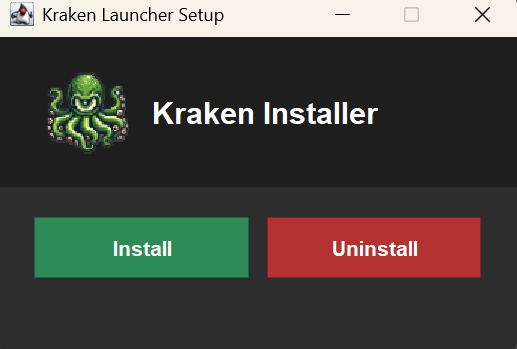
The uninstaller restores RuneLite's main class, removes KrakenSetup.jar from the classpath and deletes it, removes the -javaagent entry and --disable-telemetry, and clears the read-only flags on config.json and settings.json. It leaves the --add-opens/--add-exports lines in config.json; they are harmless and you can delete them by hand if you prefer.
Manually
The following instructions detail how to uninstall Kraken on both Windows and MacOS.
The Kraken installer marks config.json and settings.json read-only, so clear that first or your editor will refuse to save:
- Windows: right-click the file → Properties → untick Read-only
- macOS:
chmod u+w /Applications/RuneLite.app/Contents/Resources/config.json
Windows
- Pressing
Win + Rtyping:%localappdata%/RuneLiteand hitting enter - Open the
config.jsonfile in a text editor - Replace it with the following:
{
  "classPath": [
    "RuneLite.jar"
  ],
  "mainClass": "net.runelite.launcher.Launcher",
  "vmArgs": [
    "-XX:+DisableAttachMechanism",
    "-Drunelite.launcher.nojvm\u003dtrue",
    "-Drunelite.launcher.blacklistedDlls\u003dRTSSHooks.dll,RTSSHooks64.dll,NahimicOSD.dll,NahimicMSIOSD.dll,Nahimic2OSD.dll,Nahimic2DevProps.dll,k_fps32.dll,k_fps64.dll,SS2DevProps.dll,SS2OSD.dll,GTIII-OSD64-GL.dll,GTIII-OSD64-VK.dll,GTIII-OSD64.dll",
    "-Xmx768m",
    "-Xss2m",
    "-XX:CompileThreshold\u003d1500"
  ]
}- (Optional) Remove
--disable-telemetryfromclientArgumentsinsettings.json - (Optional) You can optionally remove the
KrakenSetup.jarfile
⚠️ Do NOT delete or modify
RuneLite.jar,RuneLite.exeor any other files as this could corrupt your RuneLite installation
Mac
- Open
/Applications/RuneLite.app/Contents/Resources/config.jsonin a text editor - Replace the file's contents with
{
  "classPath": [
    "RuneLite.jar"
  ],
  "mainClass": "net.runelite.launcher.Launcher",
  "vmArgs": [
    "-XX:+DisableAttachMechanism",
    "-Drunelite.launcher.nojvm=true",
    "-Xmx768m",
    "-Xss2m",
    "-XX:CompileThreshold=1500",
    "--add-opens=java.desktop/com.apple.eawt=ALL-UNNAMED"
  ]
}- (Optional) Remove
--disable-telemetryfromclientArgumentsinsettings.jsonin the same folder - (Optional) You can optionally remove the
KrakenSetup.jarfile from/Applications/RuneLite.app/Contents/Resources/KrakenSetup.jar
Fully Removing Kraken Settings
To fully remove Kraken's plugin settings, external repositories, cached client files, and local plugin data, perform the following tasks.
Windows
- Open the local RuneLite directory, frequently located at
C:\Users\<your-name>\.runelite - Delete the
krakendirectory
Mac
- Open the local RuneLite directory, frequently located at
~/.runelite - Delete the
krakendirectory
The kraken directory holds everything Kraken stores outside the RuneLite install:
| Path | Contents |
|---|---|
creds_v3.json | Your Discord sign-in |
krakenprefs.json | Kraken launcher settings |
sideloaded-plugins/ | Plugin JARs you sideloaded |
external/repositories.txt | External plugin repositories you added (encrypted) |
plugins/Profile/ | Accounts saved by the Profiles plugin |
mouse_data/ | Recorded mouse gestures (API developers only) |
logs/launcher.log | Kraken launcher logs |