The Kraken Discord Bot
Kraken runs through Discord. While the website is offline there is no other purchase flow: browsing plugins, buying tokens, buying and renewing plugins, starting a free trial, and viewing your license keys are all done with slash commands in Discord.
Your Discord account is your Kraken account. Whatever you buy is tied to whichever Discord account you run the command from, and that's the account you need to be signed in to in the client to see it. See Signing Up for how account linking works.
Getting Started
- Join the Kraken Plugins Discord server if you haven't already.
- Type
/in any channel where the bot is present to see the full list of commands. - Run
/helpat any time for a quick refresher on how the shop works.
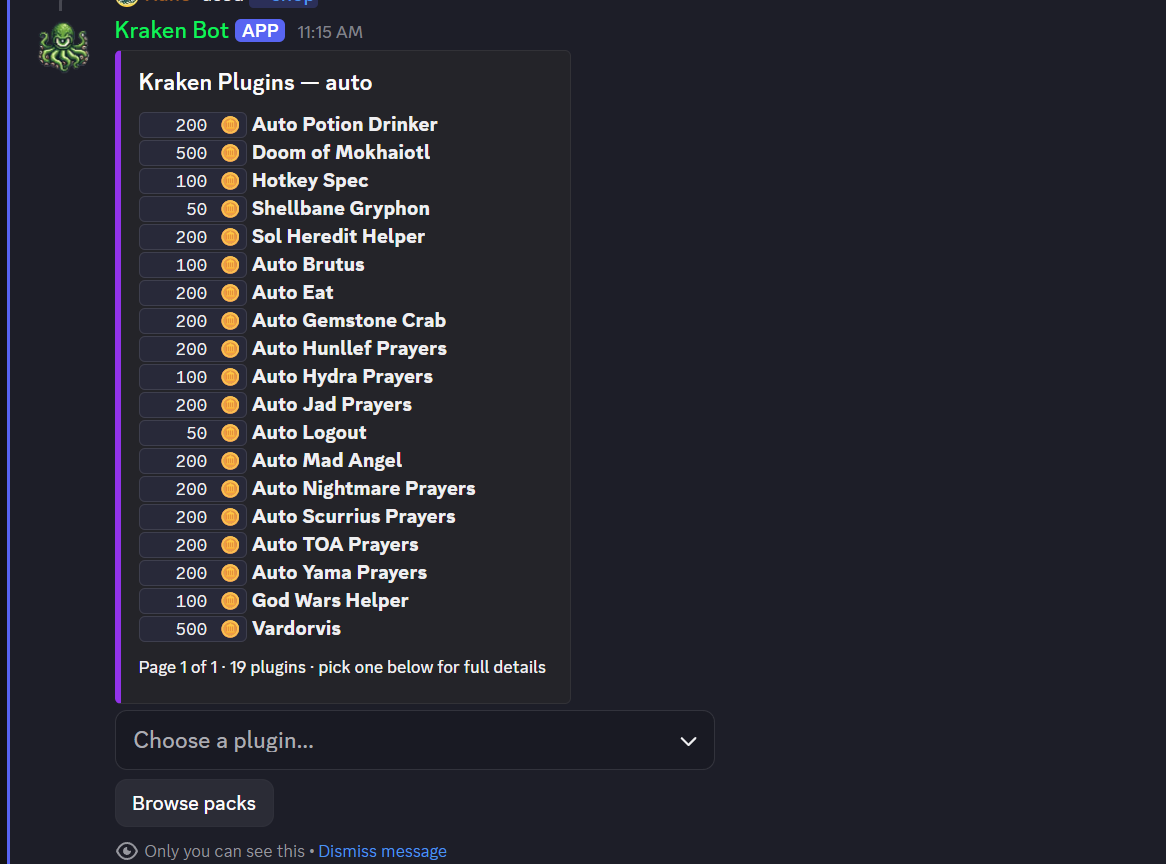
Most command replies are ephemeral — only you can see them, so feel free to browse and buy without spamming a channel. The exception is the shop's storefront listing, which is posted as a shared message that everyone can see and click buttons on.
Plugin and pack names use Discord's autocomplete — start typing and pick from the dropdown, you don't need to know the exact spelling.
Command Reference
Browsing
| Command | Description |
|---|---|
/shop [category] | Browse every plugin in the storefront. Optionally filter by category: Helpers, Automation, Overlays, or Utility. |
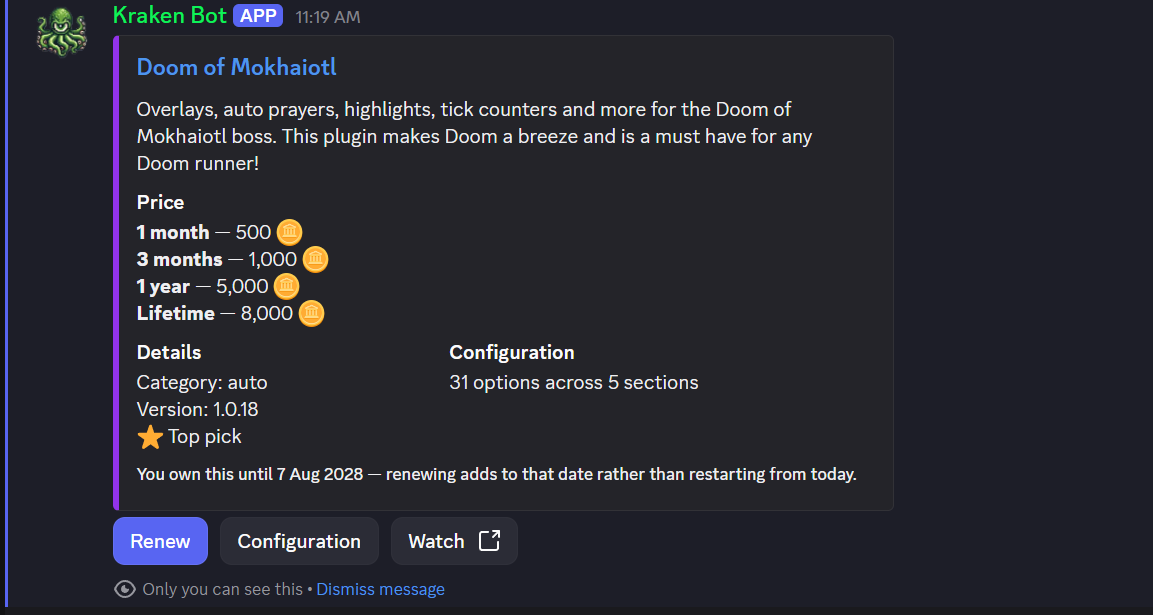
/plugin {name} | Full detail page for one plugin — description, config options, a video showcase, and token pricing for every license length. |
/packs | Browse plugin packs — bundles of multiple plugins sold together at a discount. |
/pack {name} | What's inside a specific pack and what it costs. |
Buying
| Command | Description |
|---|---|
/tokens [referral] | Buy Kraken tokens through Stripe Checkout. Optionally supply a referral code — you and the person who referred you each get a 10% bonus on the tokens purchased. |
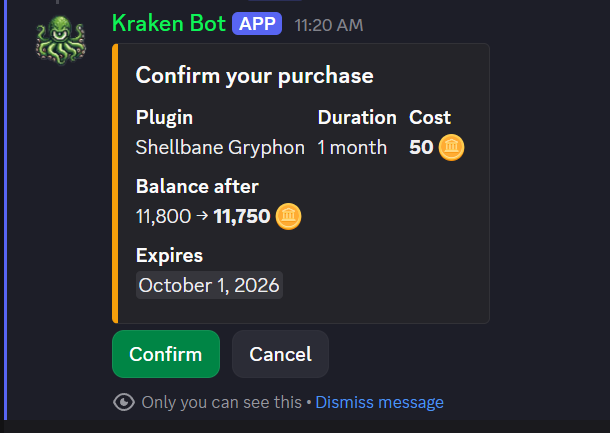
/buy {plugin} {duration} | Buy a single plugin with tokens. Duration is one of 1 month, 3 months, 1 year, or Lifetime. |
/buy-pack {pack} {duration} | Buy every plugin in a pack at once. Duration is 1 month, 3 months, or 1 year — packs don't offer a lifetime option. |
/renew {plugin} {duration} | Extend a plugin license you already own. The new duration is added on top of your current expiry, so renewing early never forfeits days you already paid for. Your license key doesn't change. |
/trial first: {plugin} second: {plugin} third: {plugin} | Start a free 7-day trial on three plugins of your choice, no tokens required. |
Your Account
| Command | Description |
|---|---|
/account | Your token balance, trial status, and your personal referral code. |
/mine | Every plugin you currently own and when each license expires. |
/keys | Your license keys, shown only to you. Paste these into a plugin's configuration in the client. |
Help
| Command | Description |
|---|---|
/help | An in-Discord rundown of how the shop works and every available command. |
How Buying Works
- Tokens are Kraken's currency. You buy tokens with real money through Stripe (
/tokens), then spend tokens on plugins and packs. See About Tokens for more on durations and pricing. - Beta plugins are free. Any plugin still in beta costs 0 tokens and comes with a 3-year license the moment you grab it.
- Buying a plugin you already own is a renewal, even through
/buy— your existing license key is kept and the new term is added to your current expiry rather than replacing it. Lifetime licenses and beta plugins can't be renewed since there's nothing left to extend. - Packs are all-or-nothing. If you already hold an active license on any plugin inside a pack, you'll need to let it expire (or buy just that one plugin with
/buy) before you can buy the whole pack with/buy-pack. - Trials are one-time.
/trialgives you 7 days on three plugins of your choosing so you can try before you buy. - Receipts arrive by DM. After a token purchase completes, Kraken sends you a DM receipt. If your DMs are closed to server members, you won't get the DM, but your purchase and token balance are unaffected.
Troubleshooting
- A command errors or times out — Discord commands sometimes take a couple seconds to process, especially around a purchase. If a reply comes back visibly stuck, wait a moment for it to update rather than resubmitting the command, which could trigger a duplicate purchase.
- Plugins don't show up in the client — double check you're signed into the client with the same Discord account you ran the purchase commands from. See Account Linking.
- Still stuck? See Contact Support.